firecrawl / open-lovable
🔥 Clone and recreate any website as a modern React app in seconds
AI Architecture Analysis
This repository is indexed by RepoMind. By analyzing firecrawl/open-lovable in our AI interface, you can instantly generate complete architecture diagrams, visualize control flows, and perform automated security audits across the entire codebase.
Our Agentic Context Augmented Generation (Agentic CAG) engine loads full source files into context on-demand, avoiding the fragmentation of traditional RAG systems. Ask questions about the architecture, dependencies, or specific features to see it in action.
Embed this Badge
Showcase RepoMind's analysis directly in your repository's README.

Repository Summary (README)
PreviewOpen Lovable
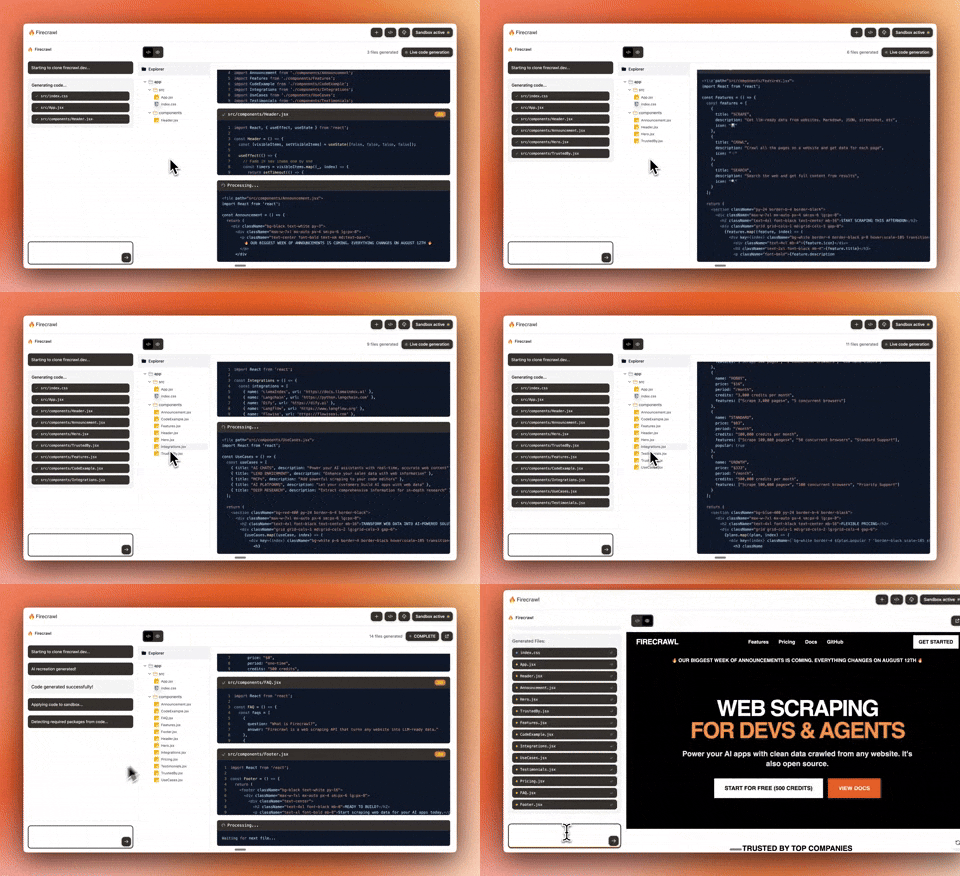
Chat with AI to build React apps instantly. An example app made by the Firecrawl team. For a complete cloud solution, check out Lovable.dev ❤️.
Setup
- Clone & Install
git clone https://github.com/firecrawl/open-lovable.git
cd open-lovable
pnpm install  # or npm install / yarn install
- Add
.env.local
# =================================================================
# REQUIRED
# =================================================================
FIRECRAWL_API_KEY=your_firecrawl_api_key    # https://firecrawl.dev

# =================================================================
# AI PROVIDER - Choose your LLM
# =================================================================
GEMINI_API_KEY=your_gemini_api_key        # https://aistudio.google.com/app/apikey
ANTHROPIC_API_KEY=your_anthropic_api_key  # https://console.anthropic.com
OPENAI_API_KEY=your_openai_api_key        # https://platform.openai.com
GROQ_API_KEY=your_groq_api_key            # https://console.groq.com

# =================================================================
# FAST APPLY (Optional - for faster edits)
# =================================================================
MORPH_API_KEY=your_morphllm_api_key    # https://morphllm.com/dashboard

# =================================================================
# SANDBOX PROVIDER - Choose ONE: Vercel (default) or E2B
# =================================================================
SANDBOX_PROVIDER=vercel  # or 'e2b'

# Option 1: Vercel Sandbox (default)
# Choose one authentication method:

# Method A: OIDC Token (recommended for development)
# Run `vercel link` then `vercel env pull` to get VERCEL_OIDC_TOKEN automatically
VERCEL_OIDC_TOKEN=auto_generated_by_vercel_env_pull

# Method B: Personal Access Token (for production or when OIDC unavailable)
# VERCEL_TEAM_ID=team_xxxxxxxxx      # Your Vercel team ID
# VERCEL_PROJECT_ID=prj_xxxxxxxxx    # Your Vercel project ID
# VERCEL_TOKEN=vercel_xxxxxxxxxxxx   # Personal access token from Vercel dashboard

# Option 2: E2B Sandbox
# E2B_API_KEY=your_e2b_api_key      # https://e2b.dev
- Run
pnpm dev # or npm run dev / yarn dev
License
MIT