cyrus-and / gdb-dashboard
Modular visual interface for GDB in Python
AI Architecture Analysis
This repository is indexed by RepoMind. By analyzing cyrus-and/gdb-dashboard in our AI interface, you can instantly generate complete architecture diagrams, visualize control flows, and perform automated security audits across the entire codebase.
Our Agentic Context Augmented Generation (Agentic CAG) engine loads full source files into context on-demand, avoiding the fragmentation of traditional RAG systems. Ask questions about the architecture, dependencies, or specific features to see it in action.
Embed this Badge
Showcase RepoMind's analysis directly in your repository's README.

Repository Summary (README)
PreviewGDB dashboard
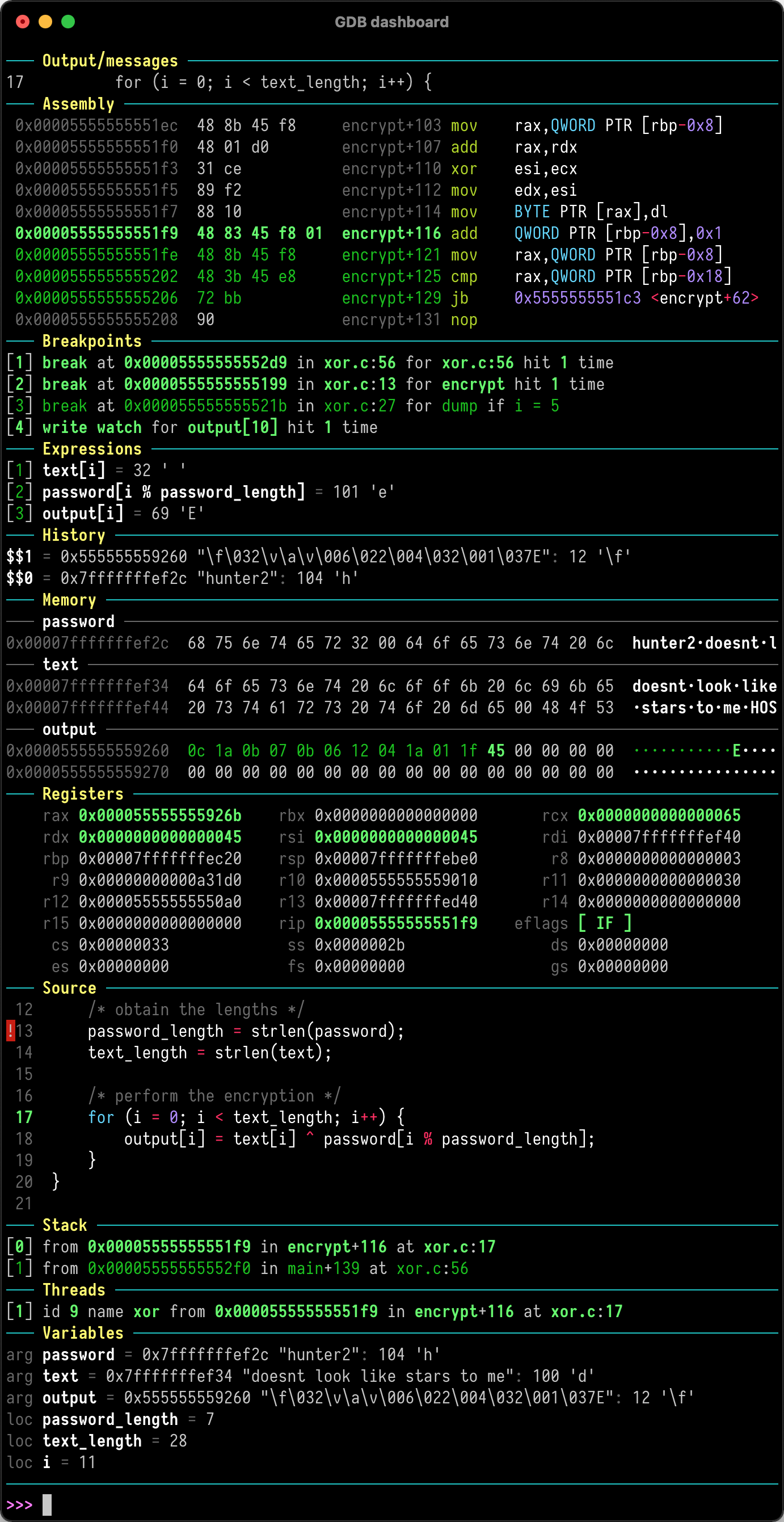
GDB dashboard is a standalone .gdbinit file written using the Python API that enables a modular interface showing relevant information about the program being debugged. Its main goal is to reduce the number of GDB commands needed to inspect the status of current program thus allowing the developer to primarily focus on the control flow.
Quickstart
Just place .gdbinit in your home directory, for example with:
wget -P ~ https://github.com/cyrus-and/gdb-dashboard/raw/master/.gdbinit
Optionally install Pygments to enable syntax highlighting:
pip install pygments
Then debug as usual, the dashboard will appear automatically every time the inferior program stops.
Keep in mind that no GDB command has been redefined, instead all the features are available via the main dashboard command (see help dashboard).
Head to the wiki to learn how to perform the most important tasks.